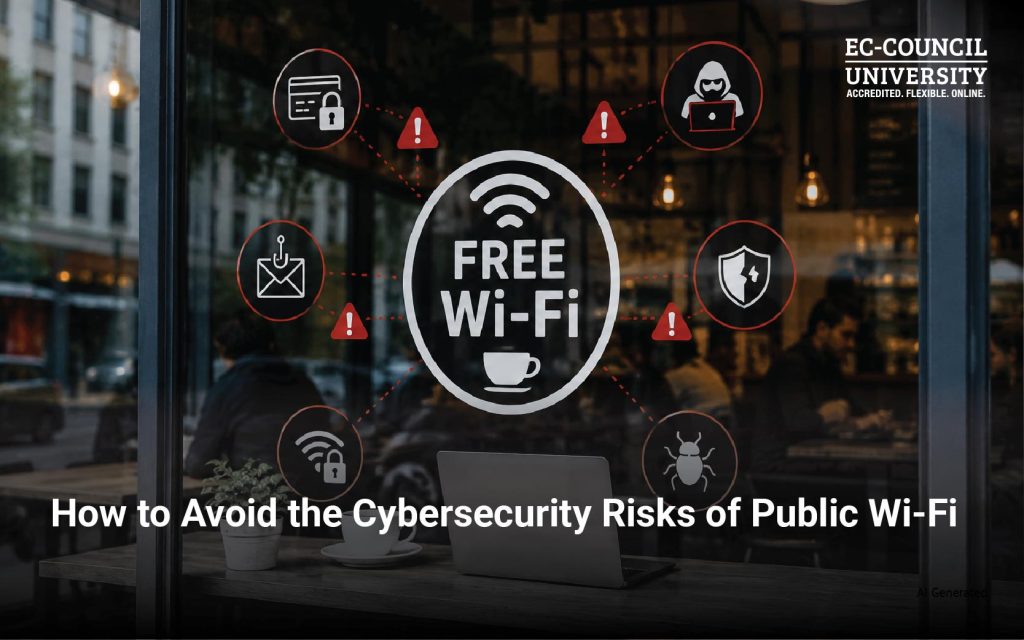
If you’re working from a coffee shop, checking email at an airport, or attending virtual meetings from a hotel lobby, there’s a good chance you’re using a public Wi-Fi network. These free networks are convenient, but they also present fertile ground for cybercriminals to act. That’s why it’s important to understand that convenience should never come at the expense of security.
Knowing the cybersecurity risks of public Wi-Fi and taking steps to mitigate them can greatly reduce your likelihood of falling victim to cybercrime.
Why Is Public Wi-Fi Risky?
Unlike your home network, public Wi-Fi networks are designed for convenience rather than security. Many offer little to no encryption, allowing multiple unknown users to connect to the same network simultaneously.
Cybercriminals frequently exploit these environments because they provide an ideal setting for intercepting communications, distributing malware, or tricking users into connecting to malicious hotspots. According to the FBI, cybercriminals commonly use public Wi-Fi to conduct attacks, steal login credentials, and distribute malware to unsuspecting users. These risks increase dramatically when users access sensitive services such as online banking, corporate email, healthcare portals, cloud storage, and cryptocurrency wallets.
How Cybercriminals Attack Public Wi-Fi Users
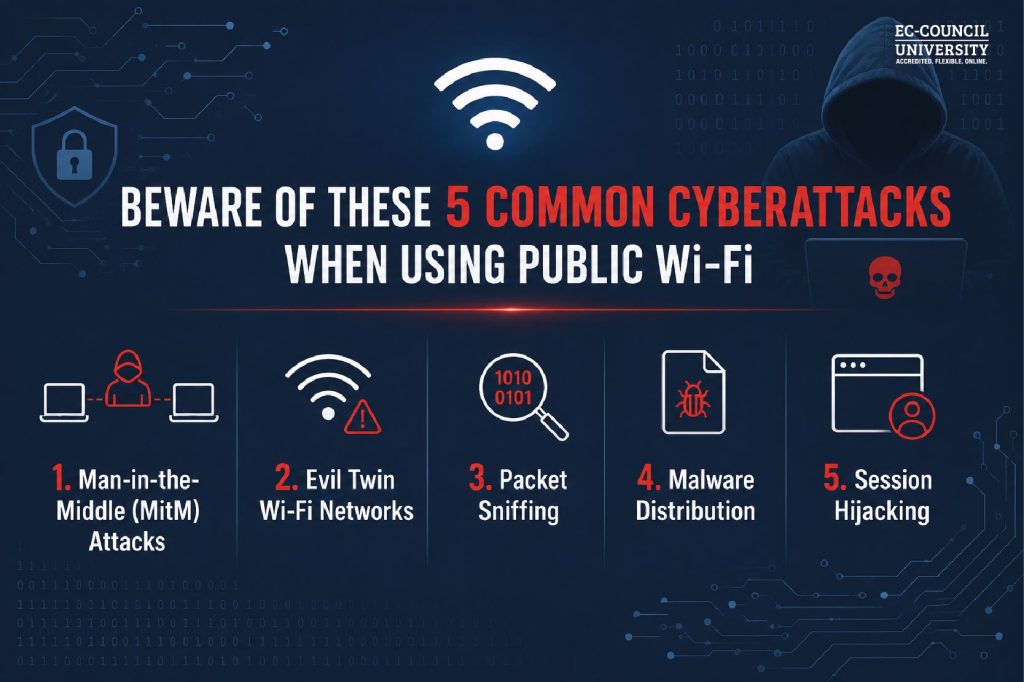
1. Man-in-the-Middle (MitM) Attacks
One of the most common threats involves a hacker secretly placing themselves between your device and the Wi-Fi network, otherwise known as a Man-in-the-Middle (MITM) attack. Instead of communicating directly with the website you’re visiting, your data passes through the attacker’s device, allowing them to intercept usernames, passwords, financial information, session cookies, or private messages. Many victims never realize their information has been stolen because the connection appears to function normally.
2. Evil Twin Wi-Fi Networks
Attackers frequently create fake Wi-Fi hotspots that mimic legitimate public networks. For example, instead of connecting to Airport_Free_WiFi, a victim may accidentally connect to Airport-Free-Wifi. Once connected, every piece of internet traffic can be monitored or manipulated. These attacks are particularly effective in airports, hotels, cafés, and shopping malls.
3. Packet Sniffing
If a network lacks proper encryption, attackers can capture data packets traveling between devices and the internet. Modern packet-sniffing tools can reveal login credentials, email contents, browser sessions, file transfers, and more. Even seemingly harmless browsing activity can reveal valuable information about a victim.
4. Malware Distribution
Some compromised public networks automatically redirect users to malicious websites or exploit unpatched software vulnerabilities. Simply connecting to an infected network may expose devices to ransomware, spyware, keyloggers, Trojans, and other threats.
5. Session Hijacking
Many websites keep users logged in through authentication cookies. If attackers steal these cookies, they may gain access to active sessions without ever needing your password. This allows criminals to impersonate users on social media platforms, email communications, and e-commerce websites.
Who Is Most at Risk?
Although anyone can become a victim of cybercrime when using public Wi-Fi, certain groups face elevated risks. These include remote employees accessing company systems, business travelers, college students, healthcare professionals, financial professionals, company leadership executives, government employees, and digital nomads.
With hybrid work now firmly established, attackers increasingly target professionals working outside secured corporate networks.
Signs You May Be Connected to a Malicious Public Wi-Fi Network
Watch for these warning signs when using unfamiliar public Wi-Fi networks:
- Duplicate Wi-Fi network names
- Networks with unusually strong signals
- Unexpected login pages
- Frequent connection drops
- Browser security certificate warnings
- Slow or unusual network behavior
- Requests to install software before connecting
If anything seems suspicious, disconnect immediately.
How to Stay Safe on Public Wi-Fi Networks
Fortunately, protecting yourself doesn’t require advanced technical knowledge. The following steps can go a long way toward maintaining security when connected to a public Wi-Fi network:
- Use a VPN: A trustworthy VPN (Virtual Private Network) encrypts internet traffic, making intercepted data extremely difficult for attackers to read. A VPN is one of the most effective defenses when using public Wi-Fi.
- Verify the Network Name: Always confirm the official network name with employees before connecting. Never assume the strongest signal is the legitimate one.
- Enable Multi-Factor Authentication (MFA): Even if passwords are compromised, MFA can significantly reduce the possibility of unauthorized access to accounts.
- Avoid Sensitive Transactions: Whenever possible, avoid performing activities such as online banking, filing taxes, accessing confidential documents, or making high-value purchases. Instead, wait until you’re using a trusted network or your mobile hotspot.
- Keep Your Devices Updated: Operating system and application updates often patch vulnerabilities that attackers may exploit. Enable automatic updates whenever possible.
- Disable Automatic Wi-Fi Connections: Many smartphones and laptops automatically reconnect to previously used networks. Disable this feature to prevent accidentally joining rogue access points.
- Turn Off File Sharing: Disable network discovery, file sharing, printer sharing, AirDrop (when not in use), and Bluetooth (if unnecessary). Reducing your device’s visibility lowers the attack surface.
- Use HTTPS Websites: Before entering sensitive information, ensure the website uses HTTPS encryption. While HTTPS does not eliminate all risks, it significantly improves communication security.
Public Wi-Fi Cybersecurity is a Shared Responsibility
Organizations can protect employees who may use public Wi-Fi by:
- Requiring VPN usage for remote work
- Implementing Zero Trust security principles
- Providing cybersecurity awareness training
- Enforcing endpoint protection
- Monitoring suspicious login activity
- Mandating MFA across enterprise applications
According to Verizon’s 2026 Data Breach Investigations Report, credential abuse and human error continue to be major contributors to security incidents, underscoring the importance of user awareness alongside technical safeguards.
In Summary
Public Wi-Fi offers undeniable convenience, but it also creates opportunities for cybercriminals to intercept sensitive data, impersonate trusted networks, and compromise devices. The good news is that many of these risks are preventable through simple, proactive security practices. Whether you’re a student, business traveler, or remote employee, understanding how attackers exploit public networks is essential to modern cyber hygiene. By using a VPN, enabling multi-factor authentication, verifying network legitimacy, and avoiding sensitive transactions on unsecured connections, you can diminish exposure to cyber threats. As organizations continue embracing hybrid work and cloud-based services, cybersecurity awareness is no longer optional for employees.
At EC-Council University (ECCU), we believe that informed users are the first line of defense against evolving cyber threats. To find out about our industry- recognized cybersecurity awareness training:
Frequently Asked Questions About Public Wi-Fi Cybersecurity
Public Wi-Fi can be safe for general browsing if appropriate security measures, such as a VPN, HTTPS connections, and multi-factor authentication, are used. However, unsecured networks always carry a higher risk than trusted private networks.
Yes. Cybercriminals may use techniques such as Man-in-the-Middle (MITM) attacks, packet sniffing, or fake Wi-Fi hotspots to intercept login credentials if adequate protections are not in place.
An Evil Twin attack occurs when an attacker creates a fraudulent wireless network that closely resembles a legitimate public Wi-Fi hotspot. Unsuspecting users connect to the fake network, allowing attackers to monitor or manipulate their internet traffic.
No. HTTPS encrypts data exchanged with websites, but it does not protect against all threats, such as malicious hotspots, phishing attacks, or malware distributed through compromised networks.
Yes. A reputable VPN encrypts your internet traffic, making it harder for attackers to intercept or read your data over public networks.
Not necessarily. Smartphones can also be vulnerable to rogue Wi-Fi networks, phishing attacks, malware, and credential theft. The same security precautions should be followed on all connected devices.
Avoid accessing online banking, confidential business systems, healthcare portals, cryptocurrency wallets, or any service that involves highly sensitive personal or financial information unless you are using a secure VPN.