The Price for Subscriptions Can Go Far Beyond Money
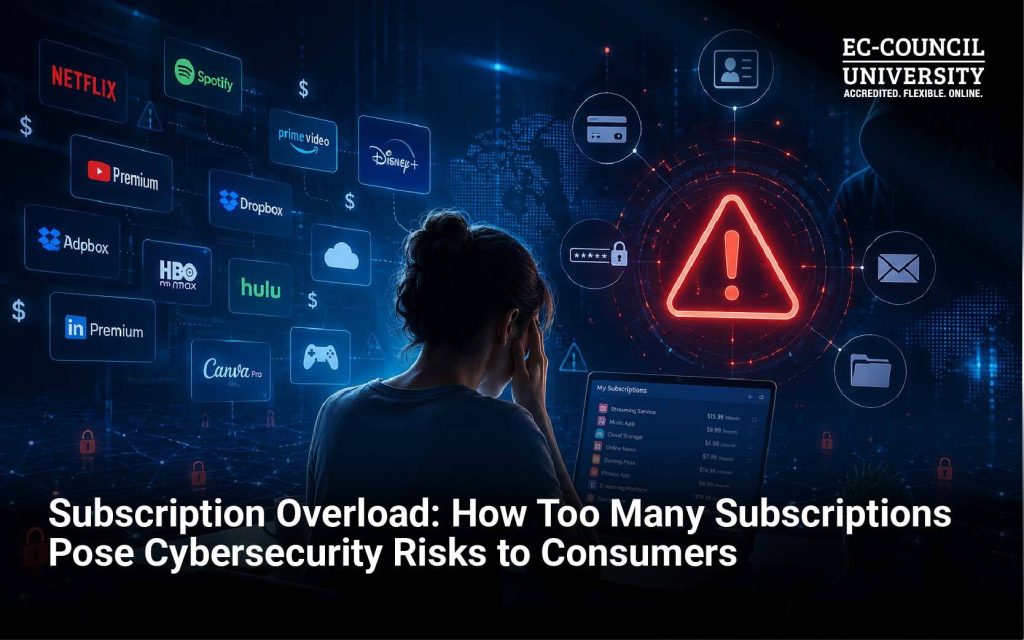
Streaming platforms, food delivery apps, online retailers, cloud storage, fitness memberships, gaming services, software subscriptions, and so on. For many of us, online subscriptions have become a regular part of everyday life. A few taps on a smartphone can sign you up for another service, and before long, you may have dozens of online accounts. While this situation can certainly impact your monthly budget, it creates another problem that deserves equal attention: cybersecurity risks.
Every subscription creates another account, another password, another repository of personal information, and another organization that holds some of your data. The more accounts you accumulate, the larger your personal digital attack surface becomes.
What Is Subscription Overload?
Subscription overload occurs when consumers accumulate a large number of recurring digital or online services, often without regularly reviewing whether they still need them.
Think about your own digital life. You might have accounts with Netflix, Amazon, Spotify, DoorDash, Uber, Apple, Google, Microsoft, a gym, several retailers, a cloud storage provider, and multiple software applications. It’s not that any one of these services is inherently unsafe. The cybersecurity concerns stem from cumulative exposure that comes with maintaining so many accounts.
More accounts can mean more credentials to protect, more personal information stored across different platforms, and more opportunities for attackers to exploit weak security practices.
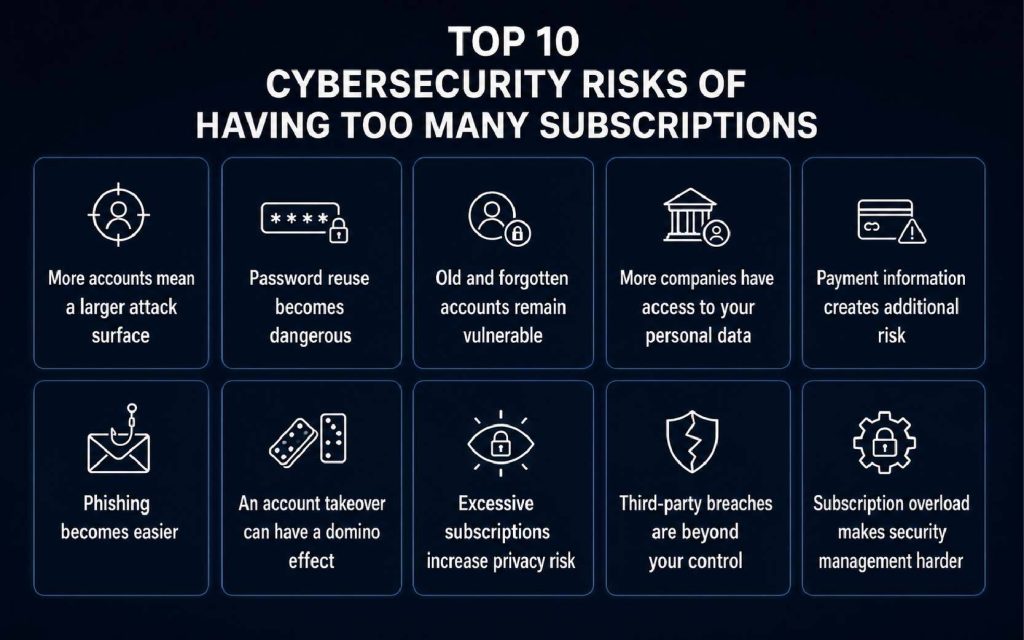
More Subscriptions Mean a Larger Attack Surface
Password Reuse Can Turn One Breach Into Several
One of the biggest risks associated with subscription overload is password fatigue. Remembering dozens of unique passwords is difficult. As a result, people may reuse passwords across multiple services or create variations of the same password. This creates an opportunity for credential stuffing, an attack in which criminals use stolen username-and-password combinations from one breach to attempt access to other services.
Verizon’s 2026 Data Breach Investigations Report found compromised credentials were an initial access vector in 22% of the breaches it reviewed. Verizon also reported that, in its analysis of infostealer infections, the median user had only 49% of passwords distinct from one another across services.
In practical terms, a single compromised subscription account could be the first domino in a much larger account takeover.
Your Email Account Is Especially Important
Subscription overload also increases the need to protect your primary email account. Why? Because email is often the recovery mechanism for other online accounts.
Imagine if an attacker gains access to your email account. They may be able to request password resets for shopping, streaming, software, social media, and other services. Suddenly, the problem isn’t one compromised account. It becomes an account takeover chain. For this reason, your primary email account deserves stronger protection than many ordinary subscription accounts. Use a unique, strong password and enable multifactor authentication (MFA).
Subscription Accounts Can Become Phishing Targets
The more services you use, the more notifications you receive, creating opportunities for cybercriminals to exploit through phishing attempts.
You might receive a legitimate-looking message saying:
“Your payment failed.”
Or:
“Your account has been suspended.”
Or:
“Update your payment billing information to prevent cancellation.”
If you do have an account with that company, the message may appear convincing. Attackers know this, so they impersonate popular brands and use familiar subscription-related scenarios to dupe consumers into clicking on malicious links or surrendering their login credentials. AI has added fuel to this fire by empowering malicious actors to generate phishing campaigns at scale.
More Companies Also Means More Data Exposure
Another important dimension to subscription overload is privacy concerns. Each service may collect different pieces of information about you. Depending on the platform, this could include your name, email address, phone number, billing details, delivery address, IP address, device information, purchasing behavior, or usage patterns. What’s particularly concerning is that information doesn’t have to be stolen directly from you. A service provider can suffer a data breach, experience a security incident, or have a third-party vendor compromised.
It highlights the reality that your personal cybersecurity is partly dependent on the security practices of organizations you interact with.
Stored Payment Information Creates Another Risk
Many subscription platforms allow consumers to save credit card or other payment information for automatic billing.
Is this a convenient practice? Absolutely.
Is it risk-free? Absolutely not.
If an account is compromised, an attacker may exploit stored payment information, change account details, purchase products, or manipulate the subscription itself. Consumers should therefore monitor bank and credit card statements for unfamiliar transactions and consider whether every service really needs to retain payment information.
Don't Forget About Dormant Accounts
- Do I still need this account?
- What personal information does it contain?
- Is my payment information still stored?
- Is the password reused elsewhere?
- Can I permanently delete the account?
How to Secure Your Subscription Ecosystem
You don’t have to give up every streaming service or online convenience. Instead, take control of your digital footprint.
1. Use a password manager: It can generate and store unique passwords, making password reuse much less tempting. CISA specifically recommends password managers to create and securely store strong passwords.
2. Turn on MFA: Enable it wherever available, particularly for email, financial accounts, cloud services, and important shopping accounts.
3. Delete accounts you no longer need: Don’t simply stop paying. Where possible, close the account and request deletion of unnecessary personal information.
4. Review your accounts periodically: Every few months, conduct a personal ‘subscription security audit’. Look for forgotten accounts, reused passwords, outdated payment information, and unfamiliar services.
5. Treat subscription messages with caution: Don’t automatically click a link in an email or text claiming that your subscription has a payment problem. Instead, open the company’s official website or app directly and check your account.
6. Protect your primary email: Your email account can serve as the gateway to many other accounts. Give it a unique password and strong MFA protection.
Subscription Overload Is Also a Cybersecurity Awareness Issue
Subscription overload may sound like a financial or lifestyle problem, but it also reflects the broader cybersecurity challenge of digital account sprawl. The average consumer doesn’t necessarily think about every shopping account or streaming service as a potential cybersecurity concern. But each account adds another credential, another dataset, another potential phishing opportunity, and another organization responsible for protecting your information.
That doesn’t mean you should abandon the digital services you enjoy. It means you should become more intentional about managing your digital footprint.
Make Cybersecurity Part of Your Digital Lifestyle
Ultimately, it’s imperative to understand that the convenience of online subscriptions comes with risks and responsibilities.
Every new digital service adds another piece to your online identity. By practicing good password hygiene, using MFA, deleting unnecessary accounts, monitoring financial activity, and recognizing phishing attempts, you can significantly strengthen your personal cybersecurity posture.
But cybersecurity awareness goes beyond protecting your own Netflix or Amazon account. As our lives become increasingly connected, understanding how identities, data, networks, applications, and cyber threats interact has become an increasingly valuable skill. For those who want to move beyond basic cyber hygiene and develop deeper expertise, EC-Council University (ECCU) offers world-class online cybersecurity education that combines academic learning with practical, hands-on skill development. From beginners to tech-savvy individuals, ECCU has something for everyone.
To find out more about how ECCU can help you improve your cybersecurity know-how:
Frequently Asked Questions
Is having many online subscriptions a cybersecurity risk?
Yes. Each subscription may create an additional account containing credentials, personal information, or payment data. The more accounts you maintain, the greater the risk of weak passwords, phishing, account takeover, or third-party breaches.
Can subscription accounts be hacked?
Yes. Any online account can be compromised through stolen credentials, phishing, malware, password reuse, vulnerabilities, or other attack techniques.
Why is password reuse particularly dangerous with many subscriptions?
If criminals obtain a password from one breached service, they can try the same credentials against other services. Unique passwords limit the damage if one account is compromised.
Should I delete old subscription accounts?
If you no longer use an account, deleting it can reduce your digital exposure. Before doing so, check whether you need any information stored there, and follow the provider’s account deletion process.
Does canceling a subscription delete my account?
Not necessarily. Canceling recurring payments and deleting an account are often separate processes. Check the provider’s privacy and account-management options.
Should I use MFA on streaming and shopping accounts?
Yes, whenever MFA is available. Prioritize email, financial, cloud storage, shopping, social media, and other accounts that contain valuable personal or payment information.
What is the best way to manage cybersecurity with many accounts?
Start with four fundamentals: use unique passwords, store them in a reputable password manager, enable MFA, and regularly delete or review accounts you no longer need. Also, remain alert to phishing messages pretending to come from subscription providers.