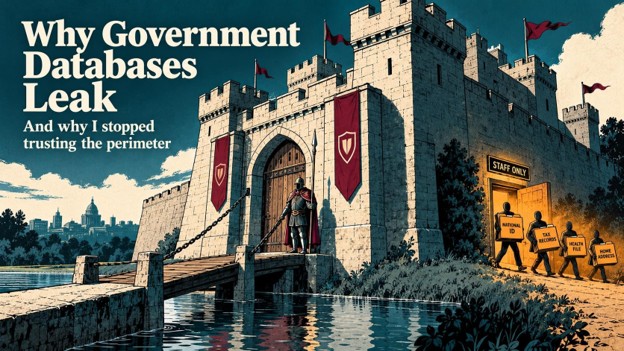
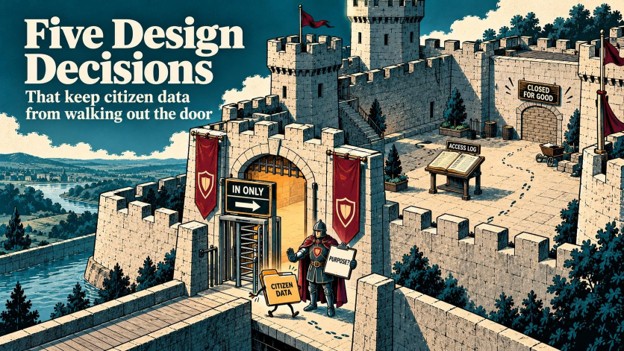
In my last post, I argue that government databases leak through open side doors. Too many people see too much. Systems connect directly. Whole citizen profiles sit in one place.
Principles matter. But principles alone do not stop a leak.
So this post gets practical. Here are five design decisions that turn those principles into daily reality. None of them needs exotic technology. Each one needs discipline.
1. A front door that only opens one way
Think about a registration kiosk at a public office.
A citizen walks up and enters their details. Name, date of birth, national ID number, address. The operator checks the form and submits it.
Now ask a simple question. Can that operator pull the record back up five minutes later? Can they copy it to a USB drive? Can they print it?
In most systems, the answer is yes. And that is a problem.
In my design, the front door opens only one way. Capture systems can write data in. They cannot read raw personal data back out.
I call this write-once ingestion. The kiosk sends a validated record into protected storage. The operator sees a confirmation message, not the full record. If attackers compromise the kiosk, they find an empty room.
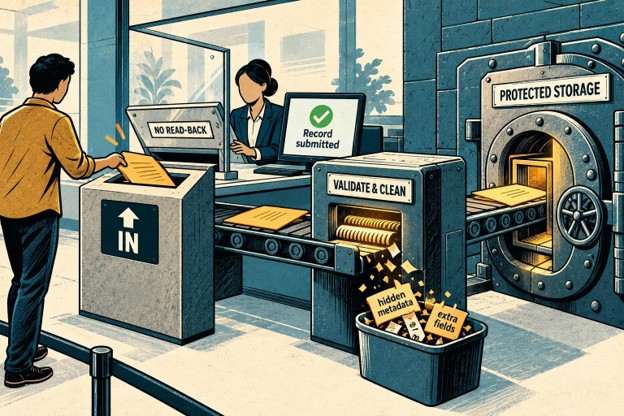
The same front door also cleans what comes in. Before storing anything, the system validates every field. It strips out hidden metadata, stray scripts and fields the service never needed. Less data in means less data to leak later.
What about corrections? Citizens move house. Clerks make typos. Those changes still happen. They just go through a controlled service with its own checks and logs. The kiosk stays out of it.
2. Show less, prove more
In my last post, I describe masking by default. Staff see ****-****-4821, not the full ID number. But some jobs truly need the full value. So how does someone get it?
They earn it, one step at a time.
Let’s go back to the welfare officer. She reviews a benefit application. She needs the full ID number to verify it with another agency. Here is what happens next:
- She selects an approved purpose from a set list, such as “identity verification.”
- The system confirms her role and her assignment to this case.
- It checks her device. Is it a managed work laptop in good health?
- She completes a step-up login, a second identity check beyond her password.
- For high-risk records, a supervisor approves the request.
Only then does the system rebuild the full value. And it rebuilds only the fields her purpose requires. If she needs the ID number, she gets the ID number. She does not get the medical history attached to the same file.
Her access also expires. The window closes after a set time, and the data masks itself again.
I call this controlled reconstruction. Full disclosure becomes the exception, not the default. And every exception leaves a record.
This adds a little friction. That friction is the point. A legitimate officer passes these checks in under a minute. An attacker with a stolen password hits a wall.
3. One person, one screen, one purpose
Here is a scenario that happens in offices everywhere.
An officer opens a sensitive record. A colleague leans over. “Can I take a quick look?” The officer turns the screen around.
It feels harmless. It is not.
That second person never proved their identity. They never stated a purpose. The system has no idea they saw anything.
Shared logins create the same blind spot. So do generic accounts like “frontdesk01” that a whole team uses.
So my design binds every reconstructed record to a single session. One verified person. One approved device. One stated purpose. One time-limited window.
The system blocks shared credentials and generic accounts for sensitive data. It also blocks concurrent sessions on the same reconstructed record.
What if a supervisor genuinely needs to review the file? They request their own approved session. They do not borrow the officer’s screen or password.
Sometimes a team really does need to review a record together. Think of a case conference. That works too, through a formal supervisory workflow. It records every participant, their purpose and their access limit.
The rule is simple. If you see the data, the system knows you saw it.
4. AI flags, humans decide
Government databases collect duplicates constantly.
One citizen registers twice with a misspelled name. Another uses a different address at a second office. Over time, these near-duplicates pile up. They create confusion, wrong payments and openings for fraud.
AI is genuinely useful here. A machine learning model can scan millions of records and spot likely matches. Same date of birth. Similar name. Overlapping phone numbers. It can also flag records that look inconsistent, malformed or suspicious.
But I draw a hard line. The AI flags. A human decides.
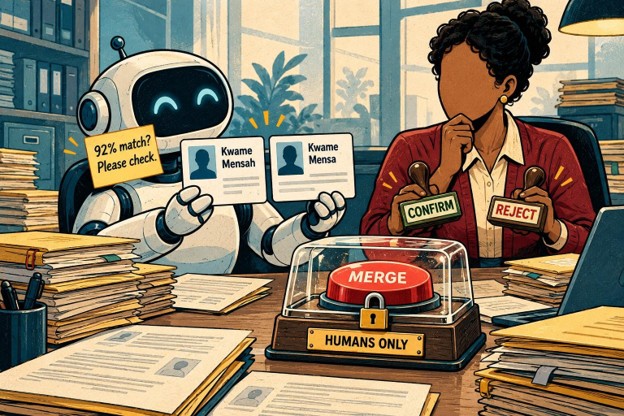
Merging two identities is a serious, often irreversible act. Get it wrong, and one person inherits another person’s tax record or medical history. That is not a decision I want an algorithm making alone.
So in my design, the model never merges records itself. It raises a flag with a confidence score and an explanation. An authorized officer reviews the match and confirms or rejects it. The audit trail captures both the AI’s suggestion and the human’s call.
Low-risk matches can move faster under clear, approved thresholds. High-risk ones always get human eyes.
This is how I think about AI in public services generally. Use it to see more. Keep people accountable for what happens next.
5. Every access leaves a footprint
The first four decisions make leaks harder. The fifth makes them visible.
Every request in my design flows into central monitoring. Every login, every reconstruction, every export and every admin action. Nothing touches citizen data in silence.
Monitoring tools then look for patterns that don’t fit. An officer who normally views ten records a day suddenly pulls two thousand. A partner system starts requesting data at 3 a.m. An admin account runs a query nobody has run before.
Each of these raises an alert. The security team investigates, and the incident response plan kicks in if needed.
Audit trails do a second job too. They make accountability real. When a regulator asks who accessed a record and why, the answer exists. Agencies can show evidence instead of offering reassurances.
And the logs themselves follow the same rules. They record that someone viewed a record, not the personal data inside it. A log file should never become the next leak.
Where to start
Five decisions can feel like a lot. No agency needs to build everything on day one.
Here is the order I recommend.
- Map your personal data first: Find where you collect, store, share, back up and delete it. You cannot protect what you cannot see. Do this before you buy a single tool.
- Start with the riskiest systems: Focus on databases that hold national IDs, health data or financial records. Prioritize anything shared with other agencies or outside partners.
- Get real data out of test environments: Developers and trainers should work with synthetic or de-identified data. This one change closes a surprisingly common leak.
- Roll out in phases, and test each one: Run penetration tests and backup restore tests. Rehearse your incident response. Check that every phase actually works before you start the next.
- Put governance around change: Every new integration, report or data-sharing deal should pass a review first. Otherwise, the side doors quietly reopen.
The real goal
Technology makes these five decisions possible. People make them stick.
Security, privacy, IT, legal and business teams all share ownership here. They agree on who approves what, how exceptions work and when to review the rules. That governance work is less exciting than new software. It matters more.
This side of cybersecurity drives my MBA studies at EC-Council University. Good architecture protects data. Good leadership protects the architecture.
Citizens never get to choose whether to trust their government with their data. So we owe them systems that deserve that trust.
That means a front door that only opens one way. Data shown only when someone proves they need it. One person per sensitive session. AI that asks a human. And a footprint for every access.
None of this is out of reach. It just needs to start somewhere.